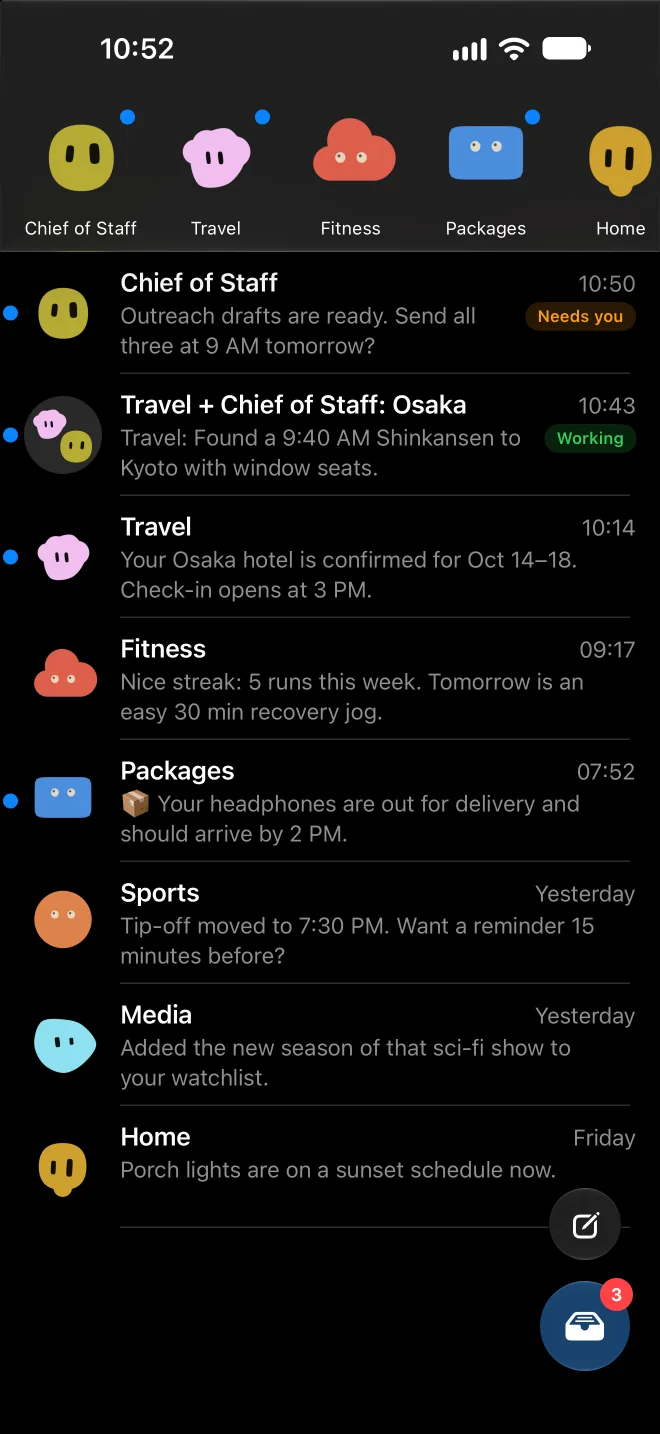
Blobatar faces
Every bot has the same avatar and tint as it does in Hermes desktop, rendered on the phone.
 Hermes Messages
A personal iPhone app
Hermes Messages is a native SwiftUI app for talking to the bots on my hosted Hermes agent. Each bot is a contact. Each conversation feels like iMessage.
Built for one person, on iOS 27. It's installed through TestFlight only and isn't on the App Store.
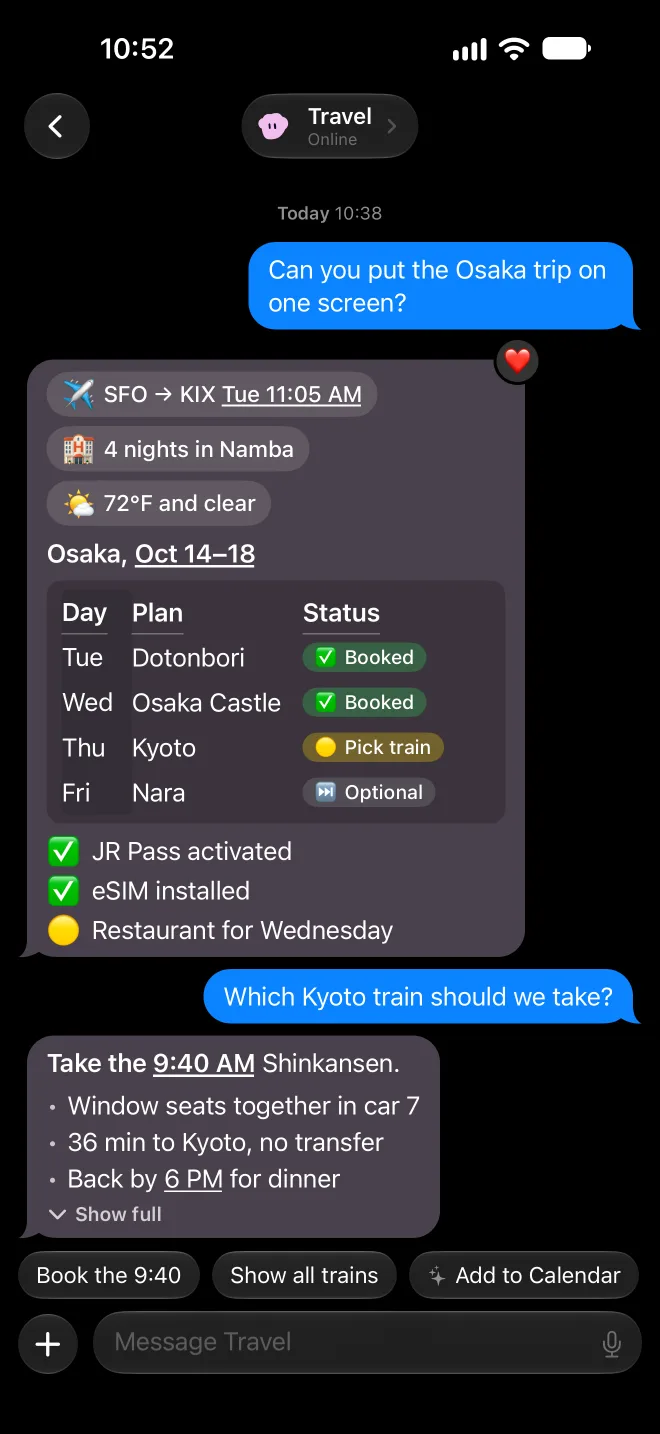
Rich replies
Markdown renders properly. You get tables with status pills, briefing chips, checklists, link previews and tappable dates and flights. Long replies fold into an on-device Apple Intelligence Gist: a headline plus a few bullets, with the full text one tap away.
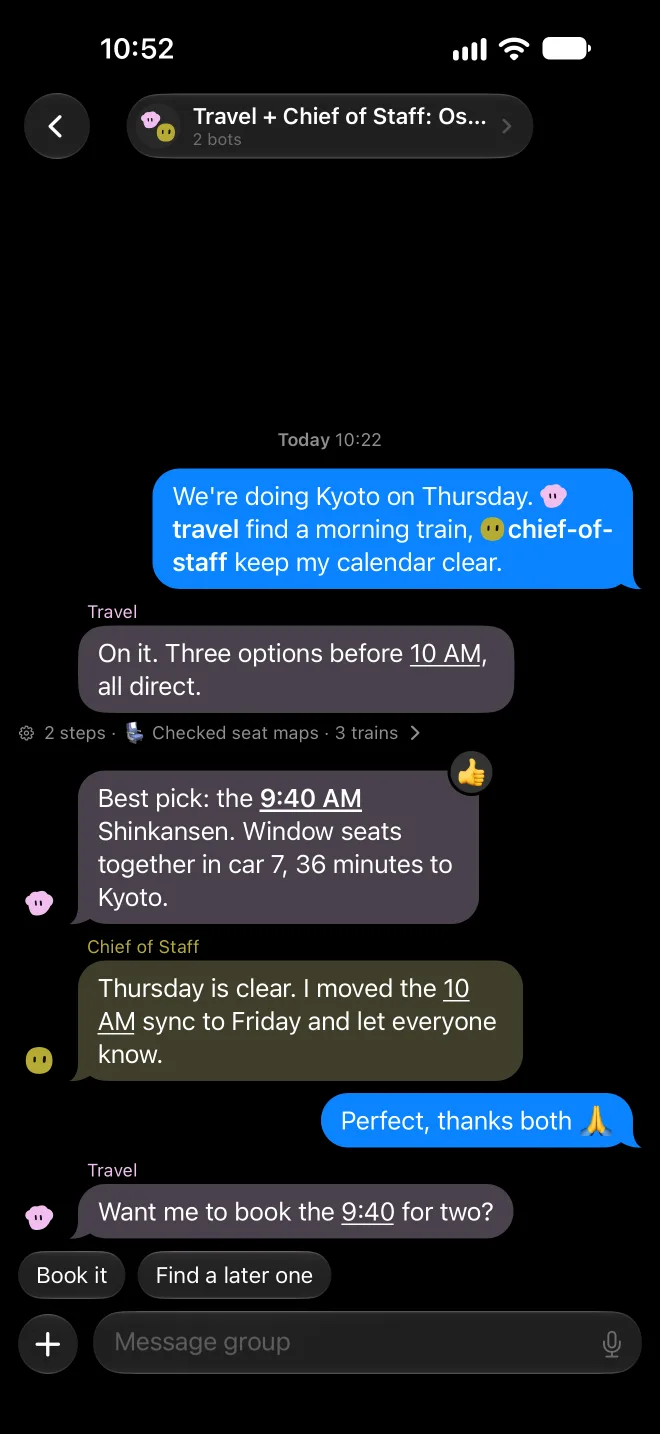
Group chats
Group threads run on Hermes hosted rooms. @-mention a bot to hand it the next step. Each bot keeps its own color and blobatar face, and you can see what it did as a short line of tool steps.
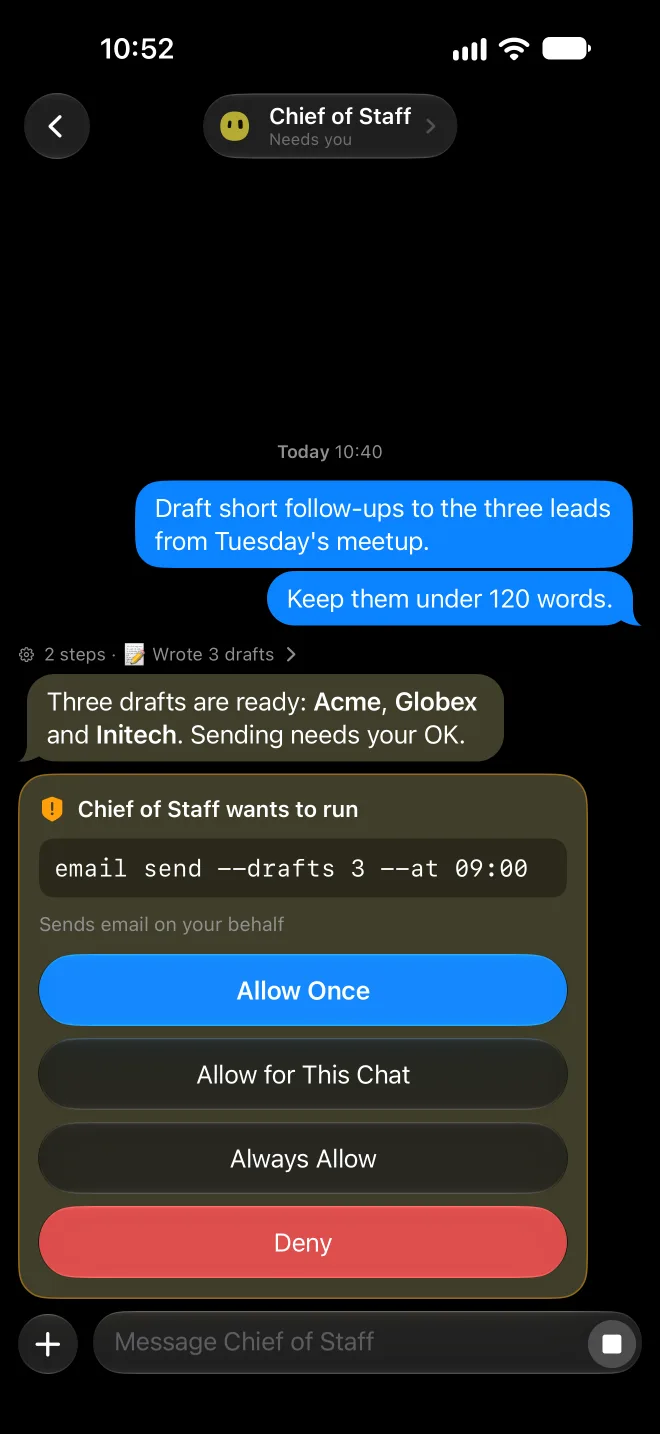
You stay in charge
When a bot wants to run something, you get an approval card with Allow Once, Allow for This Chat, Always Allow or Deny. Questions become clarify cards with the bot's recommended choice. Password and one-time-code requests come from a per-bot Vault and are gated by Face ID.
Notifications
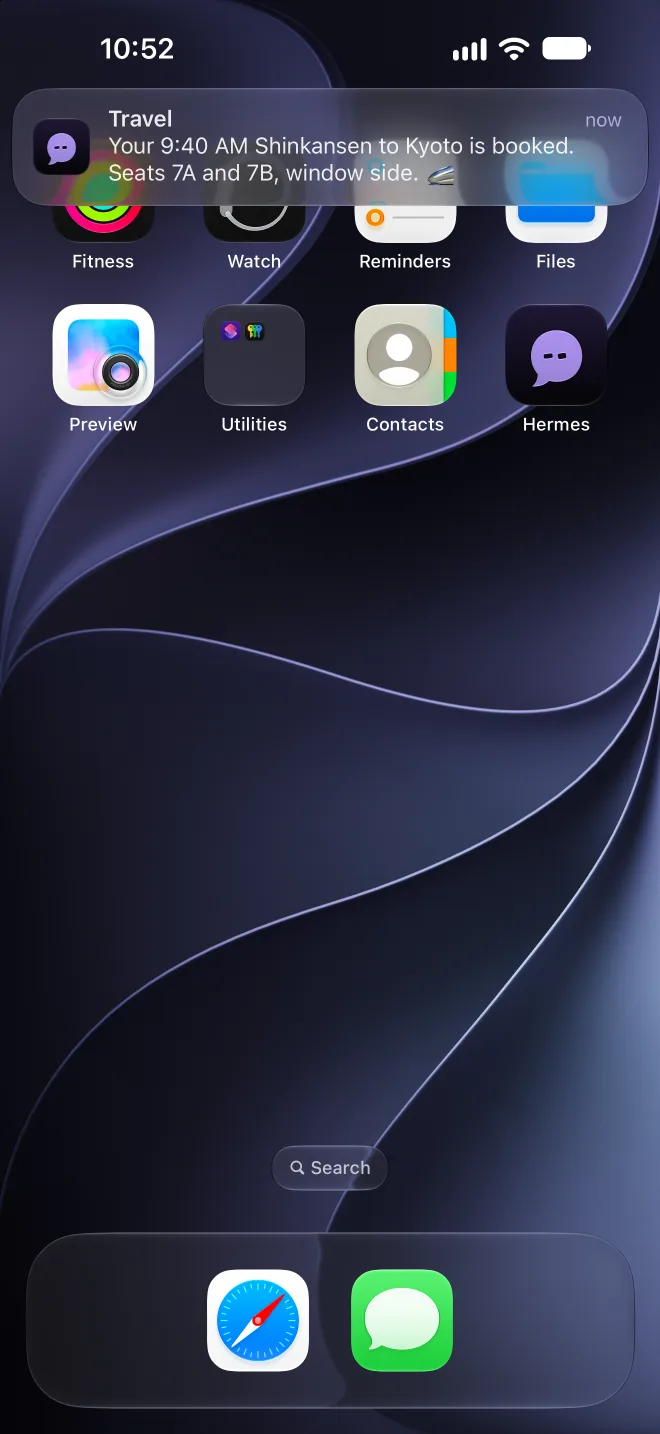
A small Cloudflare Worker watches the agent and sends pushes that are encrypted end to end. APNs only ever carries ciphertext. The Notification Service Extension decrypts each one on the phone and shows it as a Communication Notification from that bot, with action buttons for approvals and quick choices.
Every bot has the same avatar and tint as it does in Hermes desktop, rendered on the phone.
Scheduled briefings and cron runs land in their own Inbox, with a large-type reader and reply threads.
An @ picker with avatar pills. Bots can hand a task to each other right in the thread.
Apple Intelligence sums up long replies and briefings on the phone. Nothing leaves the device.
App Intents let you ask a bot from Siri or Shortcuts, and bots and chats show up in Spotlight.
Photos, camera, scanned documents and files. Photos get an on-device caption and text recognition first.
Point the camera at something and pick "Ask <Bot>" to start a chat about it.
Share links, text, photos and files to any bot or group, with bot faces in the share sheet.
Bots can send action cards that run a Shortcut on the phone and reply with the result.
Bots you allow can read Calendar, Reminders, Health, Location or Contacts over a device MCP, with per-bot permissions.
A hidden note with local time and place travels with each message, so "tonight" means tonight.
Threads are cached for instant launch. Messages you send offline go out when the connection comes back.
Face ID after 15 minutes away. The Vault locks again whenever the app goes to the background.
Tapbacks the bots can see, reply-quotes, quick replies, a Stop button and steering while a bot works.
The mic turns speech into text on the device. No audio is sent.
Every bot has one ongoing chat, shared with Hermes desktop, so you can pick up on either.
The screenshots are from the iPhone 18 Pro Max simulator. The chats, names and plans in them are made up.